(scripts, shaders,models, layouts, tools and more)
XSI Netview Users
Copy and paste the url below into an XSI netview
for easy access/installation to scripts and shaders
http://www.edharriss.com/SoftXSI_tools.htm

SOFTIMAGE|XSI Scripts.
Many of these files have been compressed with winzip. (It's possible that, after downloading this file, you will need to add the extension .zip to the end of the file name in order for it to work properly with your de-compression program.)
 |
XSI NET - When looking for XSI Scripts, this should be your first stop. Many, many cool scripts. CG artists may now connect to the Web from directly within XSI to browse for reference material, and easily drag and drop models, textures, animation and other scene components directly from the Web into XSI. This site has been DESIGNED SPECIFICALLY for CG Artists and Technical Directors using Net View IN SOFTIMAGE®|XSI™ v.1.5 or higher |
 |
1. Safesave Script
- Created by Kim Aldis of Aldis
Animation, 13/2/2000 - This script is a "scene versioner and
validity checker" It adds or increments a version number on the scene
name, saves the scene then checks validity by reloading scene. "Usual
script disclaimer; if they get your sister pregnant - (or your brother,
in these enlightened times) it's not my fault. Neither is anything else,
including Porl. The Name/version delimitter is '-'. There is a Possibility
of a Scene Name being truncated ' if '-' exists elsewhere in the scene
name. Drag and drop this link from a netview browser within XSI 1.5 to install: SAFESAVE |
 |
2. "Highlight"
JScript for SOFTIMAGE|XSI - Written by Guy Rabiller: Allows the user
to place a ‘highlight specular impact’ on a surface. A tutorial on how to use this script is located here: "Highlight" JScript Tutorial Update! There are now VBS versions.Click here for English or French tutorials on how to use those. Drag and drop theses links from a netview browser within XSI 1.5 to install: HIGHLIGHT (JSCRIPT) HIGHLIGHT_CP(JSCRIPT) HIGHLIGHT (VBSCRIPT) |
 |
3. Collection of scripts form the SOFTIMAGE web site - Many, many cool scripts from the SOFTIMAGE Download Center. |
 |
4. Subregion
Viewer Script - Written by Jean-Louis
Billard -. This script will create a null and an implicit square as
a child of the null. The square will resize according to the subregion
render slider settings so you can adjust the render region visually like
in 3.9 (also see notes in the file) Drag and drop this link from a netview browser within XSI 1.5 to install: SUBREGION |
 |
5. Greg's
XSI Primitives - Created
by Greg Punchatz of Janimation
- Primitive creation tools with A LOT more control than the default tools.
G_sphere,G_donut and G_tube. (see notes in the file for instructions) Drag and drop theses links from a netview browser within XSI 1.5 to install: DONUT SPHERE CONE |
 |
6. Constrains
- by - Bull Schanen - This allows you to constrain multiple objects at
once that share the same number (ie. cube1 to null1, cube2 to null2, etc).Made
primarily for imported gowiththeflow systems of nulls, seeing as there
isn't anything similar for xsi. It has a GUI, and you can select the type
of constraints you want to use (pos, dir, or ori). Drag and drop this link from a netview browser within XSI 1.5 to install: CONSTRAINS |
 |
7. SeaShell
Maker - By Eric Poirier -
This is a VBscript to make a seashell. By changing the various numbers
you can make a unlimited type and styles of seashells NOW WITH A GUI !!! Drag and drop this link from a netview browser within XSI 1.5 to install: SEASHELL |
 |
8. MirrorJoint
v1.1 - By Ludovick
Michaud- A script that can mirror joint chains. The existing mirror
script from the softimage site just lacked one further operation for it
to work on joints properly. This has that operation added. (This script
is not needed if you have SOFTIMAGE|XSI Version 2.0 or higher) Drag and drop this link from a netview browser within XSI 1.5 to install: MIRROR JOINT |
 |
9. Pill
v1.0 - By Eric Poirier - (only
works in XSI 1.0) - This script creates a nurbs rounded cylinder primitive Drag and drop this link from a netview browser within XSI 1.5 to install: PILL TOOL |
 |
10. SOFTIMAGE|XSI
Easy pull tool - by Reinhard Claus
- The pull tool helps creating NURBS surfaces from scratch by gradually
enlarging a small surface by repeatedly extending it to a deformable curve
next to one of the edges of the surface. For more info, see the readme
file contained in the zip.. There is an UPDATED version of this script avaliable. Get it here - EASYPULL 1.5 Drag and drop theses links from a netview browser within XSI 1.5 to install: PULL TOOL MINIGRID |
 |
11. MeshSplit
- Created by Kim Aldis of Aldis
Animation - (like Model>Polygon>Polygon Detach in SOFTIMAGE|3D)
A tool to split a mesh into two new meshes. Composed of selected faces
in the one object, unselected faces in the other. The source object remains
untouched. Drag and drop this link from a netview browser within XSI 1.5 to install: MESHSPLIT |
 |
12. Subdivision
Surfaces Toggle - Created by Anders
Thönell - Webpage
-Another way of working with subdivs and getting fast interaction. The
scripts show the control polygons but not the subdiv mesh. (You will still
see the subdivs in the render region) These commands will work in the
'Camera' view. Drag and drop this link from a netview browser within XSI 1.5 to install: SUBDIVISION DISPLAY ON SUBDIVISION DISPLAY OFF |
 |
13. Use
Vertexpainting to Displace Geometry - Created by Dave
Lajoie - Website
- Click
here for a tutorial on how to use this script and more information.
Drag and drop this link from a netview browser within XSI 1.5 to install: PAINT DISPLACEMENT |
 |
14. Subdivide
- Created by Dave Carroll - Website
- Provides a 'Subdivide' button which allows you to toggle the subdivision
level of a selected poly mesh between 0 and 1. Good for a quick SubD preview
while working. Drag and drop this link from a netview browser within XSI 1.5 to install: SUBDIVIDE |
 |
15. Branch_viz
v1.0 - Created by Matt Lowery
- Makes it much easier to save branch visibility keys. Drag and drop this link from a netview browser within XSI 1.5 to install: BRANCH VIS 1.0 |
 |
16. Nillifier
v1.1 - Created by Matt Lowery
- This script Pose constrains selected objects to nulls. Drag and drop this link from a netview browser within XSI 1.5 to install: NILLIFIER v1.1 |
 |
17. Cube
Control - Created by James Rogers
- Working with a skeleton, the user runs the script. A small cube is created
(with blue wireframe and wireframe display under mixed viewing mode).
The user is then prompted to click the created control cube and then the
effector to which it is to be applied. The cube is the positioned at the
effector (by constraining it to the effector and relaxing the constraint)
and the the effector constrained to the control cube. Drag and drop this link from a netview browser within XSI 1.5 to install: CUBE CONTROL |
 |
18. ModelLight
- Created by James Rogers - This
script creates a point light that is contrained to the default camera,
making modelling in shaded view a bit easier. The camera near plane value
is also set to 1 so the light doesn't appear in the camera view. Simple
but useful. Drag and drop this link from a netview browser within XSI 1.5 to install: MODEL LIGHT |
 |
19. UP_VECTOR
CREATOR - Created by James Rogers
- This script creates an automatic skeleton up-vector control for a chain.
The user is prompted to select the chain root on an existing skeleton
and then the effector. The mid-point betweeen these two coordinates is
calculated and a control cube is placed there with a minus five offset
in the z-axis. The user then selects the first bone of the chain and this
is up-vector constrained to the created cube. Drag and drop this link from a netview browser within XSI 1.5 to install: UP_VECTOR CREATOR |
 |
20. NavKeys
- Jonathan Katoe - Allows
you to select objects in a hierarchy via assigned hotkeys. |
 |
21. Extrusion
Capping Script - Created by Javier
Garcia - This script caps holes in extruded
polygons. Make your extrusion, make the edge selection and run the script.
There is a tutorial here. How
to cap holes in Softimage XSI v 1.5 Drag and drop this link from a netview browser within XSI 1.5 to install: CAP HOLES SCRIPT |
 |
22.Camera
Switcher Script - Created by Andy
Hayes - Bournemouth
University - This script was made primarily for use with animatics,
when multiple cameras can be combined into one camera enabling an easier
and simpler render. Simply set the desired cameras up in the scene and
run the script. The script then lists all available cameras, where upon
the user can input the desired starting frames for any camera. There is
no need to enter ending frames as each camera will continue to be in use
until the script comes across another camera starting frame. The same
camera can be used more than once, by seperating each starting frame with
a comma. For example to use camera1 from frames 1 to 25, followed by camera2
from frames 26 to 46 and finally back to camera1 for frames 47 to 100,
simply enter "1,47" next to camera1 and "26" next to camera2. The script
is also not order specific, so for example the first camera in the list
does not have to be the first camera used. The script will generate a
new camera and bake the camera selections on to the one camera called
"Render_Me" and it is this camera that the user should render from. The
baked camera also takes into account animated cameras and various fields
of view. Please send commments/suggestions to ahayes@bournemouth.ac.uk Drag and drop this link from a netview browser within XSI 1.5 to install: CAMERA SWITCHER SCRIPT |
 |
23.Poly
Cut - Created by Andy Hayes
- Bournemouth
University - This is a polygon cutting script that allows you to generate
new polygon objects from selected polygons and unselected polygons whilst
having the option to remove the old object or keep it - a simple box appears
with boolean on off switches for the user to choose the outcome of the
script. Please send commments/suggestions to ahayes@bournemouth.ac.uk Drag and drop this link from a netview browser within XSI 1.5 to install: POLY CUT |
 |
24.KRTcurve2poly
- Created by Prudkoy Yury - Create
polygons from a curve or from multiple selected curves. This script is
very similar to the "Draw>Convert to face" function that's
found in SOFTIMAGE|3D. Comes with an interface
to define the number of points for the generated poly and a history flag.
With history on, you may add, delete or modify points on the curve. The
polygon's number of points can not be modified. (This script is not
needed if you have SOFTIMAGE|XSI Version 2.0 or higher) Drag and drop this link from a netview browser within XSI 1.5 to install: KRTCURVE2POLY |
 |
25. SubdivPicker
- Created by Robert Ryan - Webpage
- Adjust subdivision levels up and down by clicking your left and middle
mousebutton on an object. When clicking on a NURBS object, hardware display
will be affected instead. Drag and drop this link from a netview browser within XSI 1.5 to install: SUBDIVPICKER |
 |
26. Subdiv-Head-Starter
- Created by Ely
Cannon - This script creates a cube with no faces on one side which
controls a highres version of the cube as well as a mirrored copy of the
high res version. It works very well for starting a head. This is for
beginners who need a little help getting started. The high res version
of the cube is offset to the side so you can watch it update as you manipulate
the low res cube. Click here to
Email me with questions. Drag and drop this link from a netview browser within XSI 1.5 to install: SUBDIV-HEAD-STARTER |
 |
27. Toggle
Faceted by Michael
Donovan - June 2001 - Intended as a modeling tool. Toggles Discontinuity
from the current value to 0 and back again. The script is able to recall
the set dicontinuity by creating a custom parameter "OldDiscontinuity"
and storing the old value there. You can set this custom paramter to alter
the smoothing angle further. Drag and drop this link from a netview browser within XSI 1.5 to install: TOGGLE FACETED |
 |
28. Luc Froehlicher Script Collection by Luc Froehlicher - Website - Model Conform, Delete all Materials, Delete all Supports, Delete all UV samples, Freeze all UV, Model Diff, Bump Tune, Specular Tune, etc.... |
 |
29. edgeloop
by Reinhard Claus
- Takes a selection of edges on a polymesh object and selects rows
of edges originating from these. Drag and drop this link from a netview browser into an XSI 2.0 viewport to install: EDGELOOP XSI 2.0 (This is for XSI 2.0 and above. It fixes some bugs and adds new feature:"grow selection along edgeloop" - selects edges on an edgeloop one after another for more control) Drag and drop this link from a netview browser within XSI 1.5 to install: EDGELOOP XSI 1.5 |
 |
30. nurbs2subdiv
by Reinhard
Claus - Builds a new polymesh from the control points of a selected
nurbs obj and sets the mesh subdiv.-level up so that the resulting surface
is the same as the original nurbs (well at least if it had uniform parameterization
- if not, it's only close to the original!) |
|
31. UVDup
v.1 by Bartek
Dabkowski - ODYSEJA
| DDD CGI Studio - UVDup creates NxN grid of instanced ' objects,
surface-constraining ' them to a NURBS patch. VDup_Jitter randomizes selected
' surface-constrained objects' ' U and V position parameters ' by a set
amount Drag and drop this link from a netview browser within XSI 1.5 to install: UVDUP |
 |
32. Wavefront
OBJ Importer v.1 by Bartek
Dabkowski - ODYSEJA
| DDD CGI Studio - This little scripty parses Wavefront OBJ files
' and builds corresponding geometry. Imports polygon meshes. Currently
ignores all other data (ex. UV) and can mess up when some non-standard
indexing is used in the OBJ NOTE: if this importer does not work for you, there is another on the XSINET, under File Converter>Import. Drag and drop this link from a netview browser within XSI 1.5 to install: OBJIMPORT |
 |
33. Effect_Symmetry
- by Adam Garland
- I created a symmetry script that works based on the global axis
rather than resetting the local axis to the center of the world (like
all the others I've found) which is a pain if you had it right where you
wanted it. This script works exactly as the Effect/symmetry did in softimage
right down to mirroring your center as well. Works on Nodes and hierchys
etc. Compatable with 1.0 and 1.5 so far as I can tell. (This script
is not needed if you have SOFTIMAGE|XSI Version 2.0 or higher) Drag and drop this link from a netview browser within XSI 1.5 to install: EFFECTSYMMETRY |
 |
34. SOFTIMAGE|XSI
LightsRing Script - by Guy Rabiller
- Click here for a tutorial
on how to use this script. (This tutorial is also avaliable in French)
When you want to animate many lights in a coherent way, this can quickly
becomes a tedious work. With the help of scripting, this could be a lot
easier. Here we want to create a ring of lights, then animate the intensity
of each light in circular patterns, and be able to play with some other
parameters like the 'hardness' of the intensity transition during rotation.
This script has two sides, one for creating such setup, the other will
help us to animate it with the help of customs parameters created specificaly
for this kind of animation. Drag and drop this link from a netview browser within XSI 1.5 to install: LIGHTSRING |
 |
35. SOFTIMAGE|XSI
Dominos Script - by Guy Rabiller
- Click here for a tutorial
on how to use this script. (This tutorial is also avaliable in French)
Some tasks wich involve numerous similar objects can quickly become a
real nightmare, if done by hand. Here we want to place and animate numerous
dominos - 1000, 10000 even more - along a path, without dealing with each
domino individualy. With the help of scripting, this can be done easily,
giving us the ability to interact with the spacing and the timing of each
instance. We can even choose an existing curve along wich the dominos
will be placed. Last, you deal with only one source object regarding the
animation. The other instances will refere to it. Drag and drop this link from a netview browser within XSI 1.5 to install: DOMINOS |
 |
36. Effects->Magnet+
effect for SOFTIMAGE|XSI (Scripted Operator) - by Bartek
D - Website
- I wrote a scripted operator "Purchel" (say: poor-hell) that
somewhat mimics behaviour of the Effects->Magnet+ effect in SOFTIMAGE|3D.
Just import the EMDL. Then you can reattach the operator to some different
objects. Have fun, cheers b Drag and drop this link from a netview browser within XSI 1.5 to use: PURCHEL |
 |
37. Turntable
Script - by Kim Aldis - Website
- Turntable view simulator script. This works like the Turntable function
found in SOFTIMAGE|3D. Uses an ortho camera as a turntable equivalent.
Use the null 'Mover', translating in x to spin the turntable. The rotation
expression is Mover.x * 45 so use snapping (<ctrl> key) with a value
of one to spin the turntable view in increments of 45 degrees. Alter the
45 arg in setexpr() on the last but one line to change this granularity. Drag and drop this link from a netview browser within XSI 1.5 to install: TURNTABLE |
 |
38. The
Kim Aldis script page - Filled with goodies.... check it out. |
 |
39. SynEdit
- Jonathan Katoe - Syntax
coloring and keywords for XSI v1.53. I've included keyword libraries of
the XSI command reference as well as the associated functions and objects. SynEdit can be found at the link below. http://download.cnet.com/downloads/0-4003619-100-1555436.html |
 |
40. RG_Create
- Olivier Lelardoux - This is a modified
script from the netview that attaches an object to particles. I added
an interface to control how many particles to attach on particles and
after just pick the object or hierarchies to attach... Ps : Thk to Guy Rabiller for help.. Drag and drop this link from a netview browser within XSI 1.5 to install: RG_CREATE |
 |
41. Chain
Fixer - David Gallagher -
Cineframe Animation
- This script normalizes the rotation of the first joint of a chain, and
puts that rotation into the chain root. When you draw a chain, the first
joint often has a non-zero rotation, sometimes very different from what
one would expect. This is because of the rotation values of its parent,
the chain root. The window the chain is drawn in determines the chain
root's orientation. Other joints in a chain have a predictable value:
the offset from the first joint, and returning them to a zero value straightens
out the chain. A zero value on the first joint, though, can throw the
chain into a contorsion. ChainFixer just puts the rotation values on the
first joint of a chain into the chain root, changing the root's orientation,
and leaving the first joint's global orientation the same, while changing
the value to 0,0,0. Doing this can also help avoid gimbal lock in some
cases because any Y rotation on the first joint removes the difference
between the X and Y axes (which you can see in Add mode). Usage: Select the first joint of a chain. Run the script. The values of the joint change to 0,0,0 and the root of the chain rotates to match the joint's axes. Drag and drop this link from a netview browser within XSI 1.5 to install: CHAIN_FIXER |
|
42. Connect
Values - David Gallagher
- Cineframe Animation
- I made a quick script that automates dragging and dropping all position,
rotation, and scale parameters from another object (creating an equivalency
expression). This is something I do in rigging
quite a bit when I need local values instead of global, so I'm finding
it useful at least. It's based on Ludovick Michaud's CopyMat. You select
the destination object, then the script has you pick a source. Just for
others' clarification, the script is strictly for when you need to connect
local values together (as opposed to a constraint or Match Transforms
which are always global) Drag and drop this link from a netview browser within XSI 1.5 and above to install: CONNECT_VALUES |
 |
43. Toggle
Shade - Jonathan Katoe
- This script toggles shade and wireframe display
types in camera viewports. Drag and drop this link from a netview browser within XSI 1.5 and above to install: TOGGLE_SHADE |
|
44. SelectionSets
- Jonathan Katoe - Generates
a toolbar with buttons to select anything in your selection individually
by name. Drag and drop this link from a netview browser within XSI 1.5 and above to install: SELECTION_SETS |
|
45. KeySets
- Jonathan Katoe - Generates
a toolbar with buttons to key anything in your selection individually
by name with the option of selecting scl,rot,pos,global,local, and individual
xyz keys Drag and drop this link from a netview browser within XSI 1.5 and above to install: KEYSETS |
 |
46. RenderSets
- Jonathan Katoe - Generates
a .bat file for rendering mi2 files for the current project. This version
allows you to chose passes. All generated batch files are stored under
a folder in your scripts directory (./scripts/Rendersets/). Drag and drop this link from a netview browser within XSI 2.0 and above to install: RENDERSETS Are you using XSI 1.5? Then you'll have to use this file: RENDERSETS |
 |
47. GP_easy_hide_unhide
- Greg Punchatz & Ludovick
Michaud - Janimation
- Simple Script that allow user to save key of animation
for hide/unhide of objects. (just a quicker way of doing the save,
it saves about 7 clicks.) So the way to use it is simply to run the
script. If you simply run it after selecting an object the object
will have animation of hide at the current frame that it is but the
frame before will be unhide) Now if you press and hold "ctrl"
while running the script it will do the inverse as far as hiding goes.)
This script is up and running for 2.0 and up, I
believe that it should work in 1.5 but not too sure. |
 |
48.
ImportVoicePuppeteerData - Ángel
Tena - Website
- Readme
- This script is part of a major system that we use for lipsync. The
system kernel is a Windows application. This application gets the
text and audio of a dialog and builds up the phonemes positions and
length, all based on the Spanish Language. The output of this application is a file with that phonemes information. We use 13 phonemes groups or visemes. Each viseme has the identification, frame offset from 0 and length. This script reads that file and makes the mouth shape animation. It has not utility without the Windows application that provide the lipsync file information, but it could be used as a template for scripts that need file reading operations. Drag and drop this link from a netview browser within XSI 1.5 and above to install: IMPORTVOICEPUPPETEERDATA |
 |
49. LM_Ghosting
- Ludovick Michaud - Janimation
- See this as being a really big workaround of the ghosting option
in 3.X Simply select the object and run the script. This will simply copy a frozen object at the selected frame. This script only works in 2.0 and higher as I'm using command none existant in 1.5 Drag and drop this link from a netview browser within XSI 2.0 and above to install: LM_GHOSTING |
 |
50. LM_Rot_Trans_Marking
- Ludovick Michaud - Janimation
- Simply quick marker of pos and rot in the
scene. Just run the script. Drag and drop this link from a netview browser within XSI 1.5 and above to install: LM_ROT_TRANS_MARKING |
 |
51. LM_Shape_Creator
- Ludovick Michaud - Janimation
- Well most of you from Maya love doing shape animation
because of the ease of use when creating a shape and the nice slide
being created for you automatically. Well not to worry anymore because
this feature is now accessible to XSI user as well. It's a simple
scripts that automates a bunch of stuff for you when saving shape.
Basically I'm creating a slider based
on the shape that you saved and of course there is a bunch of other
stuff going on in the back but. Each time you save a shape key using
that script you will have a slider added to a custom PPG. This is
model based script, in other word I'm looking for the first model
that contains the 3Dobject selected and then I create the custom PPG
on the 3D object and each time you create a new shape for that 3D
object I'm simply adding to this page the proper slider. So no need
to go in the Mixer anymore with this script. Simply select the object
with a shape to be save and run the script. I'm taking care of the
rest. There will be a custom ppg appearing with your shape under a
slider control. And yes it's working with Cluster and multiselection.
And this was written for 2.0 and higher, it's written using solely
the Object model thus will not work in XSI 1.5, but I had to
choose a version upthere Drag and drop this link from a netview browser within XSI 2.0 and above to install: LM_SHAPE_CREATOR |
 |
52. LM_ApplySynoptic
- Ludovick Michaud - Janimation
- Well tired of having to select the object
then apply the property "synoptic." Then select your Htm
page from the Browser. Then press F3 to bring up that synoptic view.
Of course this is just in 2.0 and higher. When in the end I want a
button that ask me for the Htm file and that's it everything else
is done for you even the opening of the synoptic chosen. So simply
select an object then run the script. Select your HTM file et Voila!
This is running on 2.0 and higher only since it's written using the
object model and also the synoptic is only available in 2.0 and higher
:) Drag and drop this link from a netview browser within XSI 2.0 and above to install: LM_APPLY_SYNOPTIC |
 |
53. BG_Nudge
- Bradley R. Gabe
- Quietman -
For XSI 2.0.1 & up. Ever want to nudge a
parameter value up or down? This addon will install custom commands
and a custom keyboard mapping that will do just that.
1. Install BG_Nudge.xsiaddon. 7 = large nudge down 9 = large nudge up The first time the script is run, a custom PPG is created, and the user may input the increment amounts for large, medium, and small. The custom PPG is stored under the scene root and may be accessed and modified any time thereafter. The script includes basic error checking, but might not cover every situation. |
 |
54. LM_transform_nudging
- Ludovick Michaud - Janimation
- Like the Nudging tool of Photoshop moving pixel by pixel an element.
Well It's there for you in XSI. This tools works only on marked parameters
and will only work on the first one marked, for instance if you mark
pos it will only work on posx. Now keep in mind that you can use it
for virtually any parameters that are markable in XSI. It's being
used in conjuction with transform -> transformation setup ->
translation. The value in this field will allows you to determine
by how much you want to nudge. Usage : Select a 3D Object. Mark a
parameter like posx. Run the script (by default if you haven't modified
the translation in transformation setup you should move by 1 in positive
X) Now you want to nudge negatively, simply press and hold ctrl while
running the script. Note that you could attach that script to keypad
and just nudge pressing the ctrl up and ctrl down arrow. Drag and drop this link from a netview browser within XSI 1.5 and above to install: LM_TRANSFORM_NUDGING |
 |
55. Hullstoggle
- Miquel Campos - Website
- Toggle hulls display in the geometry approximation unselected models.
Muestra y oculta los hulls de los objetos con geometry aproximation
deseleccionados. Drag and drop this link from a netview browser within XSI 1.5 and above to install: HULLS_TOGGLE |
 |
56. Image
to Spheres - Michael Isner - Website
- Creates a grid of 3D spheres colored like each is an image pixel.
Kind of like those 70's images made of circles. 1) Select the image source (In the explorer under Project > Sources > Images.) 2) Run the script. 3) Define the object resolution. Setting 10 * 10 will create 100 spheres. You could hack into this pretty easily to get it to work generically with any kind of object Drag and drop this link from a netview browser within XSI 1.5 and above to install: IMAGE_TO_SPHERES |
 |
57. Shrink
Selection - Reinhard Claus
- Works for polymsh-Objects:does the opposite
of grow selection Drag and drop this link from a netview browser within XSI 1.5 and above to install: SHRINK_SELECTION |
 |
58. Layers2passes
- Gerardo Alvarez -
Website
- The "Create passes from layers" menu command is too simple.
Running this script will create new render passes for those layers
that have the render visibility flag turned on. The new passes names
will be the same as the name of the corresponding layer, and the objects
inside will have the render visibility flag set acordingly. This script
needs more work. Drag and drop this link from a netview browser within XSI 1.5 and above to install: LAYERS2PASSES |
 |
59. LM_RenderSelectedPasses
- Ludovick Michaud - Janimation
- Tired of writing script for scenes that have 10 passes and you just
want to render 3 specific ones. Well this script is for you. When
you are ready to render and you do not wish to render all passes,
but rather only selected one. Run the script and I'll let you choose
toward all your passes in the current scene and pressing ok will start
the render on those babies. Should work in 1.5, haven't tested it
in a while. Drag and drop this link from a netview browser within XSI 1.5 and above to install: LM_RENDERSELECTEDPASSES |
 |
60. Displacement
"Bumpmap+" Script - by Adrian
Wyer - Website
- This script creates a nurbs grid with a user specified number of
divisions, browses for an image and uses the color value of the image
to displace the grids points.... It's like the old Bumpmap+ in soft3D
but a bit rougher round the edges (no pun intended!!) A few limitations
due to my sloppy code; the image is offset slightly due to the extra
rows of points in Nurbs geometry (i said it was rough!!!) the grid
is square (?) the script takes the blue channel of the image for displacement
purposes (if i did all three channels and worked out an average, it
would be even slower than it is, which is REALLY slow!!) Beware! Using
this script on huge grids will probably not work... :) Drag and drop this link from a netview browser within XSI 2.0 to install: DISPLACEMENT |
 |
61. Copy
Texture Projection - by misner - Website
- For 3.X people who miss implicit texture inheritence. Drag and drop this link from a netview browser within XSI 2.0 to install: INSTANCED TEXTURE PROJECTION |
 |
62.CAMERA
SHIFT XSI:"Camera.subfrustum"MR"offset" -
Javier Pahlen - Usage:
Select camera and Run CameraShift.vbs. If you need to modify parameters
just Run script again then Export to mi2 file. Then run the RenderSch.bat
on your Project directory. Limitations: 1. unfortunately xsi2.0.1
has a bug, it does not write the offset to mental ray, so i wrote
a sub to write a batch to translate the values; in any case, this
may be just fine as this script writes your batches for you! 2. this
won't work in Unix systems. Unix users will have to modify the offset
manually (multiply subrust * image size) Drag and drop this link from a netview browser within XSI 1.5 and above to install: CAMERA SHIFT XSI |
|
63.Drafting
- By misner, modified by Javier
Pahlen - This script gives the ability
to switch between interactivly drawing lines and entering numerical
values. Allows absolute, relative, and angle/distance. For now it
uses user input similar to AutoCAD. Hopefully this can be redone as
interactive visual icons in the near future. Modifications: On the relative mode (@ least in my machine) the variables X1,Y1,Z1 got concatenated instead of added. 1.a nice feature of AutoCad is that one can type a curve in without touching the mouse... i fixed the script to do this. 2. also enabled nurbs and interpolated nurbs drafting 3. implemented undo point, close curve and xz drafting Drag and drop this link from a netview browser within XSI 1.5 and above to install: DRAFTING |
 |
64. The
Andy Hayes Script collection - By Andy
Hayes - Website
- Most scripts that I make are orientated for
individual problems. Here are some that are more generic and could
be used in various occasions. I haven't spent a great deal of timing
tweaking them for mass usage, so I can't take any responsibility for
damage incurred. I'll update this page as often as I can. |
 |
65. Chain
Scipts -by Michael
Donovan - Many Cool scripts for working
with IK chains: CHAIN COLOR - Simple script that colors your EFFECTORS RED and ROOTS BLUE. SI|3D EFFECTORS - You build all your skeletons in XSI ... but you hate that fact that XSI puts the effector under the root node. This script will reparent them under the last bone (where SOMETIMES it makes more sense). Works on parented chains too. XSI EFFECTORS - Reparents all of your effectors under their corresponding chain roots. If you like having your effectors under the root node and you import skeletons from SI|3D ... this is for you ... =). RENAME CHAIN - This script will rename the elements of any chain. Simply pick the root node and then give the chain a name and if desired a prefix. |
 |
66. Jam
dice texturing -by Jamal
Abbas Hashimi - Republica
Corp. - There is a problem with dice (Cube) mapping in XSI, so
I did this script to take care of it. I really don't know if this
is a known issue. Anyway, here it is. Just select an object and run
the script, it will put a phong shader and three texture projections
with the correct sizes. Drag and drop this link from a netview browser within XSI 1.5 and above to install: JAM_DICE_TEXTURING |
 |
67. Instanced
Texture Projections by misner
- For 3.X people who miss implicit texture inheritence Drag and drop this link from a netview browser within XSI 1.5 and above to install: instanced_texture_projections |
 |
68. WeldMesh
v1.1 by André Adam -
Welds all points that share the same position on a polymesh object.
*Warning*, it's damn slow. Drag and drop this link from a netview browser within XSI 1.5 and above to install: WeldMesh v1.1 |
 |
69. ProjectMan
by Jonathan Katoe - Generates
an html page with links to various scenes, models, presets, images,
linked html pages, or other media. Useful for managing large projects
across a network by setting the default netview page to an index file
on your network linked to your various Projectman pages. (Could be
modified very easily for those who need these pages on the internet.) Drag and drop this link from a netview browser within XSI 1.5 and above to install: ProjectMan.vbs |
 |
70. Imageplane
by Jonathan Katoe - This
script creates an imageplane for use in modelling. Drag and drop this link from a netview browser within XSI 1.5 and above to install: Imageplane |
 |
71. MultiCvMg
by Javier - merges multiple
curves with automatic recognition of closest points. if necessary
inverts the curves. Usage: run vbs and follow instructions: pick curves
in merging order. Drag and drop this link from a netview browser within XSI 1.5 and above to install: MultiCvMg |
 |
72. FitonCv
by Javier - fits multiple
curves with similar point densities and curve types. Work in progress. Drag and drop this link from a netview browser within XSI 1.5 and above to install: FitonCv |
 |
73. CENTER
ALIGNMENT TOOL by Chris Thomas:
Put the PIVOT_TOOL.HTM file in your script directory of choice, then
put the "Pivot_GUI.jpg" in a sub directoty called IMAGES.
Replace the path "C:\scripts\Pivot_Tool.htm" in the "PIVOT_TOOL.VBS"
script to your script directory, drag the script to a toolbar and
name as usual...... PROBLEM1, The script uses a synoptic view and as such has to create a property on the scene root for storing variables during execution, please delete when not needed anymore.. PROBLEM2, I can't find a script command to turn center mode back on after picking a target object, as such you need to do this yourself (until a method can be found....) |
|
74. Point
Light Interactive Fall Off by Bernard
Lebel: You shall use this script only when you want a point light
to have falloff values. Have you ever wanted to have visual feedback
over the falloff of a point light? This script is meant to give you
this feedback the easy way. The script will create two spheres. Those
spheres, constrained to a point light (already present), will determine
the falloffs of the light. The inner yellow sphere controls the falloff's
start, and the outer red sphere controls the falloff's end. The falloff
values of the light are driven by simple equivalency expressions. How to use it: Create or select a point light. Be sure that this light is named Point (the default naming). Run the script Scale the spheres in Local and Uniform mode. The expression on the falloff specifies that each scaling value is added then subdivided by 3. If you scale in only one axis, you will end up having a unaccurate falloff. Notes: The script overrides any value you have for the light's Exponent. The script sets it to 1, to make sure that the spheres define accurately the falloff. Also, scaling the light has no effect on the light's falloff nor the spheres' scaling. Drag and drop this link from a netview browser within XSI 1.5 and above to install: Point Light Interactive Fall Off |
|
75. XSI
Batch-Render Filemaker by Paul
Dawson: I have written a script, while studying for a Masters
Degree in Computer Animation at Bournemouth University, England. When
run in XSI it creates two batch files. The first file renders the
frames, while the second file is automatically run from the first
and checks the processor to see if XSIBatch has stopped before the
render batch has finished. If XSI has hung then the last frame rendered
is logged as it will probably be corrupt. These logged frames are
erased and re-rendered. This means that overnight/unattended rendering can be achieved without worry! All frames will be rendered. Drag and drop this link from a netview browser within XSI 1.5 and above to install: XSI Batch-Render Filemaker |
 |
76. "New"
Center to Verticies by Andrea
Padovan: This script is similar to "move center to vertices"
command in XSI , the difference is that it is caculated on the object's
BBOX. Drag and drop this link from a netview browser within XSI 1.5 and above to install: "New" Center to Verticies |
 |
77. Mxe
Bone Assembler by Andrea
Padovan: This sript modifies the number of bones that influence the vertices of character with an envelope operator. Example: If the charcter has some vertices that
have been influenced by more the two bones , (four or more) the
script Example with vertices influenced by three deformers
or bones taking them to two. When the panel opens you can choose
between two types of calculations: "0" = takes the smallest
influence value divides it by two and adds this value to the remaining
two deformers. "1" = takes the smallest influence value
and of the two remaining deformers adds this value to the deformer
with the lowest value. |
 |
78. Sel
All Clip Apply by Andrea
Padovan: This script selects all clips presents in all animation
mixer's track it applys a "freeze to new source" command,
it selects the new souce created by the "freeze to new source"
command, it makes an apply action and cancels the clip generated by
the "freeze to new source" command present in the mixer.
The original source are neither modified nor cancelled. This script
helps resolve update problems in the animation mixer.
Limits: The model must have a mixer with at least one clip in a track. The compound isn't modified by the script. Select model run script. |
 |
79. Lightgen
data script by Robert Ryan
- Website: This
script will import text files created by Lightgen.
I have included the option to use colors based on intensity values.
The script will also create a custom
parameter set located under your rig that will allow you to control
sky and ground intensity values globally. Export a textfile from Lightgen and run the script from XSI. A file dialog will open, choose the textfile and set the options. features so far: You can scale the whole rig by branch-selecting the master model and scale. Drag and drop this link from a netview browser within XSI 1.5 and above to install: LightGenScriptMirror: Drag and drop this link from a netview browser within XSI 1.5 and above to install: LightGenScript |
 |
80. Bounding
Box Create by Andrea Padovan:
This script get the bbox selection and create a cube (like the bbox
selection) select anything and run script Drag and drop this link from a netview browser within XSI 1.5 and above to install: Bounding Box Create |
 |
81. Edit
Name by Andrea Padovan:
This is a simple script for edit name. You can add an prefix before
and/or after, very useful when the you have a lot of objects in your
scenario. Select Objects and run script Drag and drop this link from a netview browser within XSI 1.5 and above to install: Edit Name |
 |
82. XSI_Image_PShop_Action
- By Graham D Clark - Website
- Visual Basic Script to Automate images
from XSI through Actions in Photoshop. Now Makes a new source file
name appended with Action 'name' Drag and drop this link from a netview browser within XSI 1.5 and above to install: XSI_Image_PShop_Action |
|
83. XSI_Image_PShop_ActionV100
- By Graham D Clark - Website
- First Version overwrites the source
image file in your /pictures directory. Not an issue for most who
keep original outside of project. Drag and drop this link from a netview browser within XSI 1.5 and above to install: XSI_Image_PShop_ActionV100 |
 |
84. HandyMansScript
- By Graham D Clark - Website
- Handy Mans Script to automate setup
for shape animating hand gestures Drag and drop this link from a netview browser within XSI 1.5 and above to install: HandyMansScript |
 |
85. InstanceLatticeSymmetry
- By Graham D Clark - Website
- Instances objects over x axis and
allows symmetry modeling scl/pos/rot over x axis. Like symmetry constraint
but uses a -x scaled lattice. Advantage over InstanceApplySymAll script
is that mirroring can take place locally by making the "mirrorlattice"
object a child of a parent null of all the objects. TURN AUTO CHILD
COMPENSATE FLAG OFF TO HAVE INSTANCE MIRROR Drag and drop this link from a netview browser within XSI 1.5 and above to install: InstanceLatticeSymmetry |
|
86. Instance
Symmetry All - By Graham
D Clark - Website
- Selected objects instanced and instances
symmetry constrained to their originals. Advantage over Model In symmetry
script is that nulls can be included Drag and drop this link from a netview browser within XSI 1.5 and above to install: Instance Symmetry All |
|
87. Stefan
Andersson Pose Storing Script - By Stefan
Andersson - Website
- This script stores Poses to be used in the mixer for blocking
characters. Prework is to create groups of the object that you are
animating. Ex. all objects used for rotation can be put in a group
called "rot_chains_monster". |
|
88. Bartek
Dabkowski Point Conversion Script - By bartek
dabkowski - Converts sample UV selection from texture editor,
into geometry points selection. Slooooww, but works. |
|
89. Get
Parent - By Javier
- Parents all selected objects to a null |
|
90. MergeCleanUI
- By Javier -'MergeClean
bypasses XSI Merging restrictions allowing: |
|
90. MergeClean
NOUI - By Javier
-'MergeClean bypasses XSI Merging restrictions.'This
version has no UI but you can set default merge values. I find it
faster in the long run. |
 |
91. Polygon
Healer - By Javier
- This script will find all holes on a polygon selection and: |
|
92. JModel2Null
- By Javier - Some Imports
bring hierarchies into XSI as Models instead of Null Parents. This
script replaces the Models for Nulls keeping hierarchy, position,rotation
and scale. Use: select all models you want cleaned up as nulls and
run. |
 |
93. TWIG
GEN Beta3 - By Vincent
Fortin - This script generates extruded models along one or
more specified curve(s). It can be used to produce various effects
like roots, twigs, hay, cables & wires. Draw a spline and run
the script |
|
94. PNET
(Polygons to NURBS) - By Javier
- Here is the script to access the PNET command. It is buggy and
cumbersome. The command has no tools to modify its parameters and
boundaries are not perfect, yet it is a begining. |
|
95. FGetVolume
- By Rejean Gagne - Calculates the volume (for polygon meshes only) |
|
96. Xsi
Shatter v3.0 - By M i c h e l e S a n d r o n i - Breaks up
an objects into real 3D fragments |
|
97. Xsi
Flow Polys Around Object - b0.5 - By
M i c h e l e S a n d r o n i - Explodes an object to many single-poly
objects and makes them flow around it |
 |
98. Geometry
Displacement - By Felix
-Want to turn your
displacement maps into real geometry? Then this is for you |
|
99. JAnyImgToMap
- By Javier - Website
- Converts all your standard image files to memory mapped files
including image sequences--increasing render speed. Saves all new
.map files to ..ProjectFolder/Pictures/map_x86 keeping existing
files intact. Creates a log file in the same folder. 'Works only
for Windows based XSI |
 |
100. Cutter
- By Helge Mathee
- Website
-The cutter script is able to cut through 3d-objects in XSI. |
|
101. Tris to Quads
- By Javier - Website
- A script I just wrote me for cleaning up triangles into Quads.
It uses a stupid algorithm without much checking but it does the
job mostly. |
|
102. HRC
Lightwave XSI importer - By Jabbar
Raisani - Website
- Created mainly for importing LightWave files exported as .hrc
files and creating separate objects based on clusters. Description:
Asks user to select .hrc file, then pick the actual geoemetry to
breakup. Script then creates individual objects based on the polygonal
clusters. Script will also rename objects based on relative clusters
and create a backup |
|
103.The
Bernard Lebel Script Collection - Website
- Fun stuff, created by Bernard! :) |
Have you got a helpful script that you think might be useful to others? Want to get it posted here? Just mail it to me (EdHarriss@EdHarriss.com), and I'll put it up!
SOFTIMAGE|XSI Resources
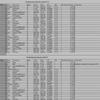 |
Benchmark
results for rendering: Softimage XSI V1.5.3 and V2.0 - Want to know
what hardware or which version of mental ray renders the fastest? Check
out this chart? If you're machine is not listed, download the test scene
and see how it stacks up to the others. Then report
your results and share your knowledge with others. |
 |
Links
to companys using Softimage|XSI - A list of a few
of the companies around the world that use XSI. |

SOFTIMAGE|XSI Models
 |
Dog Model
Zipped (343k) by ATEF S.
- Its a simple .and almost ready for animation .it's got a great character
rig and it has 1 animation action that can be loaded into the animation
Mixer. Drag and drop this link from a netview browser within XSI 1.5 to load : DOGMODEL (900k) |
|
|
Dynamics
for Bones Model Zipped (70k) - Check out this sample model to learn
about applying dynamics to bones. Drag and drop this link from a netview browser within XSI 1.5 to load : DYNAMIC BONES(200k) |
 |
XSINET Model Library - The XSI Net Model Library is one of the first places you should look for some of the coolest SOFTIMAGE|XSI models. These assets are available for free to the XSI community. |
 |
Post Logic Model Library - A Library of XSI models from Post Logic in France. Naboo Star Fighter, Lampe de bureau (+ point Light,) Man Face, Space Bot, etc.... |
 |
SuperGrandpa - Mirror link - By Stefan Andersson - Cool model :) |
SOFTIMAGE|XSI Shaders
|
XSINET Shader and Image Library - The XSI Net Library is one of the first places you should look for some of the coolest SOFTIMAGE|XSI shaders. These assets are available for free to the XSI community and there are a lot of theml. |
 |
Kim Aldis
CGI Magazine Shaders - Created by Kim Aldis of Aldis
Animation - These Shader files were created by the Aldis Animation
Company for use with SOFTIMAGE|XSI. They are free for XSI owners to use
with the program. A full description of their function appears in the
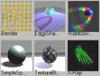
XSI tutorial written by Kim Aldis exclusively for CGI Magazine. Netview Friendly Shaders (drag and drop into SOFTIMAGE|XSI) BENDER RAINBOW SPOTLIGHT TEXTURE BLEND SIMPLE SPECULAR EDGY SHADOW X-RAY |
 |
X-Ray Shader
- By Eric Poirier - This mental
ray shader preset makes your object look like it's being x-rayed. Netview Friendly Shader (drag and drop into SOFTIMAGE|XSI) X-RAY SHADER |
 |
Glass Shader
By Eric Poirier - This mental
ray shader preset gives your object a glass surface Netview Friendly Shader (drag and drop into SOFTIMAGE|XSI) GLASS SHADER |
 |
Fire
Horse Studio's Metal1 Shader - By Scotty
Wilcox of Fire
Horse Studios - This mental ray shader preset gives your object a
metal surface. The information is meant to be accessed throught the NetView
in SOFTIMAGE|XSI 1.5 using this link: http://www.firehorse.net.au/xsi/ Netview Friendly Shader (drag and drop into SOFTIMAGE|XSI) METAL1 |
 |
Gas Fire
1.7 Shader - By Anders Thönell
- Website
- This shader will create a 'gas fire' like look when applied as a material.
There are two things you have to do when applying this shader: - open the fractal node in the render tree and choose a texture projection to apply displacement. - turn up the displacement step in the geometry approximation of your object. Other settings : - A two colour mixer lets you control the colour ramp of the 'flame', so it could go from blue to white for example. - Animating the 'time' parameter of the 'fractal node' will animate the 'flames'. a slow setting of .3 increment per 25 frames seems okay. Netview Friendly Shader (drag and drop into SOFTIMAGE|XSI) GAS FIRE |
 |
Water
Fluid v2 Shader - By Rosa
Roger - Website
- This shader will create a 'clear transparent water' like look when applied
as a material. Netview Friendly Shader (drag and drop into SOFTIMAGE|XSI) WATER FLUID V2 SHADER |
 |
Car blinn material
- By Rosa Roger
- Website
- This shader will create a 'smooth car paint' like look when applied
as a material. Netview Friendly Shader (drag and drop into SOFTIMAGE|XSI) CAR BLINN MATERIAL |
 |
Electron
1.0 - By Anders Thönell -
Website
- Instructions
- This shader will simulate an electron microscope look on your objects.
The shader uses incidence to darken areas that face the camera and lightens
the edges.(similar to an electron microscope) Netview Friendly Shader (drag and drop into SOFTIMAGE|XSI) ELECTRON 1.0 |
 |
Ocean Shader(1.7meg) - By Stuart White - Website -- This is a shader Stuart wrote for Softimage XSI as a research piece during the program's Beta Testing phase. The only geometry for the ocean is a flat NURBS grid. This grid is displaced by a series of animated fractal harmonics. The resulting surface is shaded with its' reflectivity determined by the angle at which the camera rays strike the surface. When the camera drops below the water a second shader is triggered that has no specular component. |
 |
Toon shader
based on the Dave Lajoie Incidence
Toon Rendertree tutorial - Created by James
Rogers - This shader computes the angle difference
between the camera and the object's surface, using an incidence to drive
an color_interpolate node allows you to ink the contour of the object's
surface.This shader has two incidence and flat light nodes wich means
one can make black lines but still input the correct colour in both flat
light nodes for the main colour. Netview Friendly Shader (drag and drop into SOFTIMAGE|XSI) TOON2 |
 |
Red Smoke
Preset - Created by Holger
Schönberger - This is a preset that uses the
cigarette smoke volume shader to create realistic smoke effects. If you
are rendering in a high resolution, you have to change the marching settings.
(besides the normal rise speed and thease little changes) Get a new scene, add the smoke shader to the scene pass, load the preset and apply 2 expresions: Fractal/Decay: cos( Fc/25 ) * 0.05 + 0.7 Fractal/Frequency Multiplier: sin( Fc/25 ) * 0.005 + 1.1 In XSI 1.5 you can load the XSI logo smoke. Netview/ Library/ Simulate Haven't tested it, only know it's there. Netview Friendly Shader (drag and drop into SOFTIMAGE|XSI) SMOKE |
 |
Spherical
Environment Preset - This is a preset that
allows you to adjust the tiling on spherical environment maps. Drag this preset into a rendertree window that has your material in it. Connect the blue node (repeat_tile_spherical_env) to the Environment connection on the material node. The "Texture Edit" node controls the tiling. The default is 2. Netview Friendly Shader (drag and drop into SOFTIMAGE|XSI) SPHERICAL ENVIRONMENT |
 |
XSI Toon Shaders (Preview) by Michael Arias - This library of shaders is a complete rewrite of the Softimage|3D Toon Shaders, and is meant to replace the legacy versions of those shaders currently distributed with XSI. The new versions address performance issues of previous Toon Shaders, and implement a variety of feature enhancements, many based on user requests. Softimage|3D-compatible versions may be provided, but their feature set will be necessarily limited due to constraints inherent in Softimage|3D and its custom-shader interface. |
 |
Speaker
Material by Nick Petit - Website
- A preset shader for speaker cones. Netview Friendly Shader (drag and drop into SOFTIMAGE|XSI) SPEAKER MATERIAL |
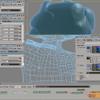 |
Subsurface
Scattering Shader - by Dave
Lajoie - Website
- Click here
for a tutorial on how to use this shader. This shader will "Simulate"
Subsurface Scattering in SOFTIMAGE|XSI. Netview Friendly Shader (drag and drop into SOFTIMAGE|XSI) SUBSURFACE SCATTERING SHADER |
|
Reflection
Control - by ? - This material preset will
control the intensity of raytraced and non-raytraced reflections. Simply
tune the nodes called raytraced_strength and non_raytraced_strength to
see the effect. Netview Friendly Shader (drag and drop into SOFTIMAGE|XSI) REFLECTION CONTROL |
 |
Sky
Presets - by Lepo - Create your
own procedural skies with these Sky presets. Download all of them here:
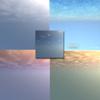
Skies.zip Netview Friendly Shaders (drag and drop into SOFTIMAGE|XSI) BellaGiornata Pecorelle2 Pecorelle Panorama Mattinata Tramonto |
 |
Wax
Subsurface Scattering Shader -Tom
Sporer - Website
- The “Subsurface Scattering Shader” is just a way to simulate
Subsurface Scattering. It is a combination out of a standard Phong material
and a standard Volume shader. It´s just a “fake” of Subsurfe
Scattering so it will not be good for every situation. The download includes
scenes that contain a sphere carrying the Subsurface - Fake Shader. For
a detailed tutorial on how to use these shaders, click here: Subsurface
Scattering Fake Shader description Tutorial ATTENTION: Due to a bug in the volume shader you have to delete the scattering lights from the scattering lights list before you save a preset of the shader - otherwise XSI will crash if you want to apply the preset in another scene. If you want to copy and paste the material containing the volume shader to another object in the same scene - you also have to clear the scattering lights list before. Netview Friendly Scenes (drag and drop into SOFTIMAGE|XSI) FAKE_SUBSURFACE_1.5.scn FAKE_SUBSURFACE_2.0.1.scn |
 |
Blue Glass Subsurface Scattering Shader -Tom Sporer - Website - The “Subsurface Scattering Shader” is just a way to simulate Subsurface Scattering. It is a combination out of a standard Phong material and a standard Volume shader. It´s just a “fake” of Subsurfe Scattering so it will not be good for every situation. The download is a scene containing a sphere carrying the Subsurface - Fake Shader. For a detailed tutorial on how to use these shaders, click here: Subsurface Scattering Fake Shader description Tutorial ATTENTION: Due to a bug in the volume shader you have
to delete the scattering lights from the scattering lights list before
you save a preset of the shader - otherwise XSI will crash if you want
to apply the preset in another scene. If you want to copy and paste
the material containing the volume shader to another object in the same
scene - you also have to clear the scattering lights list before. |
 |
Environment ball mapping shader By Fake3D - Website - A Mental Ray Environment "Ball - Mapping" Shader and Its "Add-On" Package for SOFTIMAGE|XSI 2 on WinNT/2000 and Linux. |
 |
Phoenix Tools Tesselation Shader By Stefano Jannuzzo - Website - We're doing some tests on displacement, so we've put together this small texture node that will show the geometry's final triangulation. You can connect directly to the Surface node. (Connecting it to the transparency node is fun too) The only parameter is the 'wireframe' width. Better if used with a decent AA Min Level (at least 1). This shader is an addon. Drag and Drop this link into an XSI viewport to install |
 |
Phoenix Tools Color Per Poly Shader By Stefano Jannuzzo - Website - This shader assigns random colors to each polygon. For non mesh models, you'll have to use the 'tri' option. This shader is an addon. Drag and Drop this link into an XSI viewport to install |
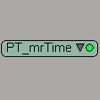 |
Phoenix Tools mental ray Timer Shader By Stefano Jannuzzo - Website - This will return the time (frame/fps). I guess with some basic math in the rendertree you can get the other things. It should be in release config, today I have no time to check. This shader is an addon. Drag and Drop this link into an XSI viewport to install |
 |
Soapbubble "Thinfilm" shader - by Adrian Wyer - Website -Create a "soapbubble" effect with this shader. All the fractals use a spatial support with default scaling. You could animate the time slider in each fractal to make the pattern evolve. |
 |
Cold Planet shader
- By : Lepo
- Website
- A Mix of 3d txt for simulate a planet .....a cold planet. Give an
uv txt support to each textures and increase the displacements steps. |
 |
Ice-Cube shader - By : Lepo - Website - I've created this shader to simulate the ice effect but how you can see with a bit of fantasy you can use it in a lot of ways. |
|
Free Shaders from Phoenix Tools! - By : http://www.phoenixtools.com - PT_AColorPerPoly, PT_mrTime, PT_NDisplace, PT_ShowEdges and PT_TrigoMath. |
 |
Incidence Target - By Graham D Clark - Website - Use an object as a target for the incidence shader. Import the model, render region, move the null around. Thanks for the math Martin. Click her for: Incidence Target explained |
 |
Cloud_shader -
- By Rosa
Roger - Website
- A new Fast cloud shader |
 |
TransVol2 shader - By Andy
Hayes - Website
- Tranvol uses raymarching procedures combined with a Lambert illumination
model to generate subsurface lighting. Plug into the volume input of
a material node and set any illumination model transparency to 100%.
Objects must be complete polyhedra to prevent errors(i.e. a whole volume).
A beta of Tranvol2 (a sub surface illumination shader) is now available
for download. Its now inside a full material node in the rendertree
- a cooke-torrance model, with bump and texture support, along with
final gathering implemetation and transparency/reflection as per usual. |
 |
HDR IMAGES COLLECTION - IMAGEZONE - Lots of HDR images! |
 |
CD Shader - By Chris Marshall - Website - A shader that makes your objects look like a Compact Disc. |
|
Bernard Lebel Shader Collection - By : Bernard Lebel - Fun Shaders such as: Glass_basic, Metal_Chrome_Blinn, Metal_Chrome_Phong, Metal_Gold_Blinn, Metal_Gold_Phong and Metal_Steel_Brush. |

SOFTIMAGE|XSI Layouts
Layouts Created for XSI 3.X
Installing layouts is easy.
If it's packaged as an add-on,
just drag it into the XSI interface
and pick the layout from the layout dropdown menu.
 |
Windows
"Toolbar Friendly" XSI interface
- Created by Corey Dinkens
- There is a problem with the screen resolution 1280x1024. When one has
this screen resolution there's a little thing of XSI that doesn't fit
into the screen: the animation panel at the bottom. So, one has to hide
the windows taskbar always while working in XSI. But not with this layout! This layout is an addon. Drag and Drop this link into an XSI viewport to install: Windows "Toolbar Friendly" XSI interface |
Layouts Created for XSI 2.X
Installing layouts is easy.
If it's packaged as an add-on,
just drag it into the XSI interface
and pick the layout from the layout dropdown menu.
 SmallWideDual or ToolbarLayouts |
SmallWideDualorToolbarLayouts
- By Graham D Clark - Website
- For various rez, single dual or no layout using toolbars. right click,
save as, all files, NOT xml which windows defaults to. Layouts for various
rez inlcuding single and dual. Duals have left or right screen blank for
user to modify or leave and drag views onto instead of splitting. Toolbar
layouts allow user to put the Toolbar panel, Viewmanger, Command panel,
and Lower Interface Panel anywhere they damnwell feel like so they are
really Anti-Layouts. One type of Toolbar or NoLayout puts the view manager
in the background across entire screen in single or dual screen, or constrains
it to the left or right monitor and floats the Command Panel etc over
it; and the other type of NoLayout floats the View Manger as well. The
other advantage of the Non Dual NoLayouts, AllRezNoLayoutSingleorDual
and AllRezNoLayout3DViewBGSorDul is they work with any rez. 1024x768 layout
has lower interface panel split to fit without double stack on side and
fit all toolbar buttons except wieght on right. DragNDrop onto XSI or
File>Addon>Install. Install the layout you need. Toolbars except
palettes need to be installed for NoLayouts to work. An issue with AllRezNoLayoutSingleorDual
is that, since the View Manger is also floating, property editors etc
can get hidden behind it, but the advantage is that you can put it anywhere
and resize it to your needs. This layout is an addon. Drag and Drop this link into an XSI viewport to install: SmallWideDualorToolbarLayouts |
|
SmallWideDual or ToolbarLayouts |
SmallWideandDualSetups.xsiaddon
- By Graham D Clark - Website
- Same as above addon minus the NoLayouts. For various rez, single dual
or no layout using toolbars. right click, save as, all files, NOT xml
which windows defaults to. Layouts for various rez inlcuding single and
dual. Duals have left or right screen blank for user to modify or leave
and drag views onto instead of splitting. Toolbar layouts allow user to
put the Toolbar panel, Viewmanger, Command panel, and Lower Interface
Panel anywhere they damnwell feel like so they are really Anti-Layouts.
One type of Toolbar or NoLayout puts the view manager in the background
across entire screen in single or dual screen, or constrains it to the
left or right monitor and floats the Command Panel etc over it; and the
other type of NoLayout floats the View Manger as well. The other advantage
of the Non Dual NoLayouts, AllRezNoLayoutSingleorDual and AllRezNoLayout3DViewBGSorDul
is they work with any rez. 1024x768 layout has lower interface panel split
to fit without double stack on side and fit all toolbar buttons except
wieght on right. DragNDrop onto XSI or File>Addon>Install. Install
the layout you need. Toolbars except palettes need to be installed for
NoLayouts to work. An issue with AllRezNoLayoutSingleorDual is that, since
the View Manger is also floating, property editors etc can get hidden
behind it, but the advantage is that you can put it anywhere and resize
it to your needs. This layout is an addon. Drag and Drop this link into an XSI viewport to install: SmallWideDualorToolbarLayouts |
|
Oz's MEGA dual screen setup |
Oz
Adis MEGA 3200X2400 dual screen setup - Created by Oz
Adi - Website
- . This layout is for 3200X2400 (1600X1200 X 2) and above.. the left
screen is a normal XSI layout, and on the right screen, there are a number
of view-switchers, to switch between different menus (animation editor+mixer,
render tree+browser+propety editor, etc') XSI is smart enough to know
for example, when hiting the "8" key, to switch automaticaly to the property
editor view-switcher, and "7" to render-tree switcher.. and so on.. I
also added a weight view switcher, and the weird Audio output meters that
don't seem to be working.. ?! but look impressive. :) Here is an XSI Dual display tip, Moving the windows-task-bar to the right (just like in the screenshot) is very comfortable, cause you dont need to put it on auto-hide, and it only takes little space from the menu screen, and not from the viewport screen.. This layout is an addon. Drag and Drop this link into an XSI viewport to install: Oz Adis MEGA 3200X2400 dual screen setup |
 Guy's XSI Layout |
Guy
Rabiller "Superwide" 1920x1200 Layout - Created by Guy
Rabiller - Made for 1920x1200 resolution. Ideal for 24" wide
monitors. This layout is an addon. Drag and Drop this link into an XSI viewport to install: Guy Rabiller "Superwide" 1920x1200 Layout |
 Raphael's XSI Layout |
Raphael
Orsi Dual Screen XSI Layout - Created by Raphael
Orsi - Nice dualscreen layout for xsi 2.x This layout is an addon. Drag and Drop this link into an XSI viewport to install: Raphael Orsi Dual Screen XSI Layout |
 Corey's XSI Layouts  |
Corey
Dinkens XSI Layouts - Created by Corey
Dinkens - Here are 3 layouts I made for xsi. Two are compositors and
one is for Texture editing and animation etc. one compositor is an advanced
one so to speak and the other is a simplified one. Just unzip into whatever
directory, then in xsi go file>addon>install and go to your directory
where you had it and install it. |
|
Oz's dual screen setup |
Oz
Adis "dual screen setup" - Created by Oz
Adi - Website
- . This layout is for 2560X1024 and above.. the left screen is a normal
XSI layout, and on the right screen, there are a number of view-switchers,
to switch between different menus (animation editor+mixer, render tree+browser+propety
editor, etc') XSI is smart enough to know for example, when hiting the
"8" key, to switch automaticaly to the property editor view-switcher,
and "7" to render-tree switcher.. and so on.. Here is an XSI Dual display tip, Moving the windows-task-bar to the right (just like in the screenshot) is very comfortable, cause you dont need to put it on auto-hide, and it only takes little space from the menu screen, and not from the viewport screen.. This layout is an addon. Drag and Drop this link into an XSI viewport to install: Oz Adis "dual screen setup" |
|
1280x1024 layout |
Windows
"Toolbar Friendly" XSI interface - Created by Andreas
Byström I made a new layout for xsi 2.01 that fixes the problem with the hidden animation menu. To install this layout go to File->Add-on->Install I think this layout also works for 1600*1200 |
|
1280x1024 layout |
Another
Windows "Toolbar Friendly" XSI interface - Created by Anton
Granik - Website There is a problem with the screen resolution 1280x1024. When one has this screen resolution there's a little thing of XSI that doesn't fit into the screen: the animation panel at the bottom. So, one has to hide the windows taskbar always while working in XSI. In this layout I collapsed (not deleted) the Constrain panel so it has a little more space for the animation panel. And the three buttons that the Constrain panel has (Parent, Comp and Cut) are accessible through the little triangle at the top of the very Constrain panel or through the top menu Constrain. This layout is an addon. Drag and Drop this link into an XSI viewport to install: Windows "Toolbar Friendly" XSI interface |
 Bogdan Gribinceas 1152X864 layout |
Bogdan Gribincea
"1152X864
Layout" designed for people running a screen res of 1152X864.
Created By Bogdan Gribincea This layout is an addon. Drag and Drop this link into an XSI viewport to install: "1152X864 Layout" |
 Bogdan Gribinceas 1152X864 layout |
Bogdan Gribincea
"1152X864
BIG Layout" designed for people running a screen res of 1152X864.
This layout includes a double sized MPC stacked with all the tools you'll
need. Created By Bogdan Gribincea This layout is an addon. Drag and Drop this link into an XSI viewport to install: "1152X864 BIG Layout" |
 Eds 1024x768 layout |
1024x768
layout - Created by Ed
Harriss The requests for 1024x768 Layouts just keep pouring in. From people that use laptops to people with older videocards. Just unzip and drag this file into XSI to install it. Then choose Eds_XSI_2_1024x768_Layout from the Layout Menu. If that does not work for you, then save this file on your hard drive, use file>addon>install and browse to the location that you saved the file and install it. This layout is an addon. Drag and Drop this link into an XSI viewport to install: Eds 1024x768 layout |
|
Giuseppe XSI Layout |
Giuseppe
1024x768 XSI Layout - Created by Giuseppe
- This new workspace saving 1024x768 layout is for laptop user with
XSI 2.0. Almost all usual standard functions were considered. This layout is an addon. Drag and Drop this link into an XSI viewport to install: Giuseppe 1024x768 XSI Layout |
|
Raquel's XSI Layout |
Raquel's
1024x768
layout - Created by Raquel
Avila 1024x768 XSI Layout This layout is an addon. Drag and Drop this link into an XSI viewport to install: Raquel's 1024x768 layout |
|
1024x768 layout |
1024x768
layout - Created by Robert Lansdale
of Okino Graphics My 19" Nokia monitor makes working in XSI2 unbearable, so I created this 1024 layout tonight as my first experience in UI modifications. It's so trivial in XSI. Click here for a screen snapshot at 1024x768 |

Have you got a cool layout that you think might be useful to others? Want to get it posted here? Just mail it to me (EdHarriss@EdHarriss.com), and I'll put it up!
Layouts Created for XSI 1.5 or Lower
|
|
Oz
Adis "dual screen setup" - Created by Oz
Adi - Website
- . This layout is for 2560X1024 and above.. the left screen is a normal
XSI layout, and on the right screen, there are a number of view-switchers,
to switch between different menus (animation editor+mixer, render tree+browser+propety
editor, etc') XSI is smart enough to know for example, when hiting the
"8" key, to switch automaticaly to the property editor view-switcher,
and "7" to render-tree switcher.. and so on.. Here is an XSI Dual display tip, Moving the windows-task-bar to the right (just like in the screenshot) is very comfortable, cause you dont need to put it on auto-hide, and it only takes little space from the menu screen, and not from the viewport screen.. |
 |
Chet's
Dual Screen XSI Layout - Created by Chet
Kenisell - Click
here for a Screen Shot. This is an XSI dual screen setup specifically
designed for a 3200x1200 screen resolution. The left monitor is similar
to the original XSI interface, but the right monitor is used mostly for
views that would normally need to pop up during the workflow. It consists
of the current Property Page, Explorer, Texture Editor, Animation Editor,
and Animation Mixer. The Timeline spans both monitors for greater detail.
To install this interface, place the downloaded Chet's Dual Screen.DSLayout file into the following directory on your hard drive: C:\users\USERNAME\Softimage\XSI_1.5\Data\Preferences\Layouts\3200x1200_720x4 86\ If you do not have a 3200x1200_720x486 folder, create one and place the file in there. Within XSI choose Layout > Chet's Dual Screen [user layout] Important Note: You may not be able to zoom in any of the four viewports after you change to this dual monitor setup. (There may be a bug in XSI or something). To work around this, simply scrub through your timeline in the Animation Editor. You should then have full control of everything as normal. I don't know why this is, but that's just the way it goes. Special Note: Right-click on an empty area of the menu bar for a viewport in order to center the four viewports. |
 |
Roger Rosa Low res XSI interfaces - Created
by Rosa Roger - Website
- . The SOFTIMAGE|XSI interface is 1280*1024 minimum, and using it, you
'll notice why. If you don't have a good enough video card to run this
resolution (Geforces are really cheap!), Download this 1024*768 interface
... some modifications have been done from the original. It's really your
last solution!!! ....If you want to know how to install it,
read this tutorial. Interface 1024*768 for SOFTIMAGE|XSI v1.0 Interface 1024*768 for SOFTIMAGE|XSI v1.5 |
|
1280x1024 layout  1280x960 layout |
Windows "Toolbar Friendly" and
"NTSC size" XSI interfaces - Created by Miguel
Méndez Menéndez The 1280x1024 layout allows you to have the 1280x1024 screen res but prevents your windows taskbar from covering up the timeline. The 1280x960 layout alows you to work in 1280x960, using the standard aspect ratio for your display (1.33). In both of them you can see the windows taskbar, so avoid the annoying autohide feature... One last recomendation: after choosing the new layout do a File > New, to get the viewport magnet feature in the proper place. Hope you enjoy them ....If you want to know how to install it, read this tutorial. 1280x1024 layout - Screen Shot 1280x960 layout - Screen Shot |
 "Tyrell" 1024 layout |
The Tyrell Corps "1024" Layout =) |
Have you got a cool layout that you think might be useful to others? Want
to get it posted here? Just mail it to me (EdHarriss@EdHarriss.com),
and I'll put it up!
SOFTIMAGE|XSI Tools.
 |
RenderQ v4.3 - By Arvid Björn - Website -SOFTIMAGE XSI Render Farm Tool. Support for passes, RQ will retrieve them for you from the scene. Sequence segmentation, lets the user split the total sequence into smaller parts, thus preventing memory buildup. (the user defines number of frames per segment and RQ manages the rest, supports negative frames also) E-mail notification, RQ will send an email to any adress when the batch is completed. RQ will play a sound when the batch is completed. -guilic option implemented. Small render client that will launch your render every n:th second, unless one is already running. Also good for looping your batch to get around problems with crashes. Some common render options such as ZPIC, resolution, aliasing, sequences, output filename and path, image format, picture standard and field settings.Click here for more info |
|
MentalQue - By Arvid
Björn - Website
- This program lets the user add MI files generated by mental ray to
a batch list, with an easy to use graphical user interface. Click
here for more info |
 |
SOFTIMAGE
ZPic converter - By Kim Jensen
- Converts SOFTIMAGE ZPIC files to BMP or JPEG for use in post production
tools like older versions of AfterEffects, Digital Fusion, or other
packages that do not support theSOFTIMAGE ZPIC format. Click
here for more information |
 |
SOFTIMAGE Pic Plugin for Windows - This plugin reads SOFTIMAGE pic format images into photoshop |
|
SOFTIMAGE Pic Plugin for Macintosh - This plugin reads SOFTIMAGE pic format images into photoshop. |
 |
SOFTIMAGE Email Database (1999-2000) - The most useful Q & A from the Softimage Mailing List. All sorted very nicely in a Microsoft ACCESS Database. This is updated version of last years database with the past 2 years of useful emails . Courtesy of Bill Upham |
 |
"Ray" Perl Script
- Written by Kim Aldis of Aldis
Animation: |
 |
3d Studio MAX XSI
Exporter - Copyright (c) 2000 Pandemic
Studios, LLC. - Export your scenes from 3dsMax to SOFTIMAGE|XSI.
(Please note that this plugin appears to only work with SOFTIMAGE|XSI
version 1.0) Use the one listed below for all other versions of SOFTIMAGE|XSI. |
|
Softimage dotXSI Plug-in for 3D Studio Max - This Plug-in for discreet 3dsmax provides support for the SOFTIMAGE/Avid dotXSI file format. |
|
Padding Script: Davelaj@softimage.com - Davelaj@videotron.ca - website - Make SOFTIMAGE|XSI render out images in a format compatible with most compositing packages.(Leading Zeroes) For example: SOFTIMAGE|XSI renders frame 12 and calls it. image.12.pic. This script will automaticaly change the file to image.0012.pic. The instructions are contained in the dowload. Any questions, pls send me an email at Davelaj@softimage.com |
 |
HDRI2XSI - Convert 16 bit high dynamic range images to mental ray format for use in "high dynamic like rendering" using final gathering as seen in this video and this tutorial. |
 |
DS Genout Plugin
- Link SOFTIMAGE|XSI to your SOFTIMAGE|DS with the DS Genout preset. |
 |
Gooey: Soft2Avi Graphical User Interface - Devin Boyer - Gooey is a Graphical User Interface. It can be used to quickly generate commandline prompts for S2A. This program allows a user to choose the input file (a *.pic file), the output name, first and last frame, the frame rate, and the frame step. From that, a commandline is generated for S2A that will compile the *.pic's into a working AVI movie. Place Gooey.exe in the same directory as Soft2Avi. Run Gooey and select your input file. From there, select a name and location for the output. After that, specify your first and last frames, your step, and your frame rate. Then hit just hit "Run Soft2Avi". |
 |
Softimage dotXSI Plug-in for Maya 1.21 - DOWNLOAD COMPLIED VERSION OF 1.21 HERE. DOWNLOAD COMPLIED VERSION of 1.1 HERE - IF THAT LINK DOES NOT WORK, TRY THIS ONE. This Plug-in for Alias|Wavefront Maya provides support for the SOFTIMAGE/Avid dotXSI file format. |
 |
SOFTIMAGE|XSI 1.5 Online Library (Manuals) - The Online Library provides a complete collection of SOFTIMAGE|XSI documentation in PDF and HTML formats. Also included is the New Features Tour. |
 |
Softimage dotXSI Converter Tool Kit - This tool kit simplifies the task of implementing conversion from the SOFTIMAGE dotXSI file format to other 3D file formats. |
 |
Softimage W3D (Shockwave3D) converter - This stand-alone utility converts files in the SOFTIMAGE/Avid dotXSI file format to Macromedia W3D for use in Macromedia Director. Also see: SOFTIMAGE|XSI Shockwave3D Exporter |
 |
SOFTIMAGE PIC LOADER/VIEWER - VISUAL BASIC 6 - By Stephan Haidacher - Website |
|
Batch Queuing System for Render Farm - A batch queuing system for rendering process, currently it is working for Maya and Softimage. 3D Animators would be able to assign a render task by simply "clicking" on a web pages. |
 |
"3.X Style"Cylindrical Mapping in SOFTIMAGE|XSI 1.0 - Great for 1.0 but Not Needed if you've got XSI 1.5 or Higher. Rendertree Setup Created by Kim Aldis: This node allows you to scale the cylindrical map in X like it was possible in SI (opening up the texture on one side) |
 |
MilkShape 3D SOFTIMAGE|XSI Importer plugin - By Dominic Laflamme - MilkShape 3D is a low-polygon modeler, which was initially designed for Half-Life. During the development, many file formats have been added. At the moment MilkShape 3D currently supports 37 different file formats from 27 different games/ engines/programs. Now you can easily create characters for your favorite game using your favorite 3d program.... XSI. =) Of course, MilkShape3d makes a great file format translator too. (It supports, OBJ, 3DS, Lightwave, etc...) It's sort of like 3dExploration but with modeling tools. |
 |
Lightwave to SOFTIMAGE .hrc Export - There are 3 versions: Intel, Alpha and SGI - This is the Modeler plugin to export geometry, materials and and texture UV coordinates to a SOFTIMAGE (.hrc) file. Requires a copy of Lightwave to to work. |
 |
OpenGL 1.3 version
fix v1.1 - By Brent McPherson - **NOTE** Softimage has now released
XSI 2.0.2 which includes a fix for the OpenGL 1.3 problems. Therefore,
users should upgrade to this version and remove this fix as it is no
longer needed. XSI (up to version 2.0.1) does not correctly recognize
OpenGL 1.3 drivers which results in slower texture performance and some
stitching artifacts when wireframes are drawn on shaded objects. As
far as I know NVidia is the only one shipping 1.3 drivers. |
 |
The
Kim Aldis Swuff tool - Export 3D models, lighting, cameras and animation
from Xsi to Flash |
 |
Transfer
shape animation from 1.5 to 2.01 By
Stefan Andersson - Website
- NOTE! Shape animation made in 1.5, 2.0 can't be used in 2.01. To solve
this use this tool. |
 |
Spreadsheet Pass querie. Tutorial and AddOn By Guy Rabiller - Website - (The text for this addon is also avaliable in French) When you create some passes in your projects, it is sometime laborious to modify rendering parameters especialy if you want to synchronize some of them. Of course, if you select more than one pass, when you edit the rendering options in the properties panel, modifications will be applied to all of them, except for some paths.But it is interresting to have a global view of your settings for all the passes at once, just before you start rendering for verification purpose or for last minute changes. This is the main purpose of this Add-On. |
 |
Bert's vacation projects.... By Bert Grollmann - Website - Here you can see some of my recent XSI plugin projects. Three of them are mesh importers for XSI and the other ones also produce great results and I'm expecially proud of my metaball program. (Realflow, Real Wave, Particle, Metaball, Sound2Curve, Shape Generation and The Glyph) |
 |
Dot XSI Trader for Maya, Max and Lightwave -By Born Digital - Born Digital in Japan provide dotXSITrader for Maya as part of a set of conversion tools for XSI. Japanese customers may find it convenient to work with this respected local company with this tool, part of a larger suite of dotXSI converters that also service Max and Lightwave. |
 |
XSI Dump -By Wessam Bahnassi - XSIDump is an application that opens Softimage® dotXSI files. It displays the contents of the file in an easy-to-read format, with the ability to skip large blocks of templates parameters to increase human-readability. You can use XSIDump to textually view dotXSI files exported from Softimage®|XSI and Softimage®|3D, then analyze their contents. Thus, XSIDump can be used to debug such exporters, or any other exporter that has been developed with Softimage® SDKs. Also, such a view is important to game developers. As it helps them plan how to incorporate the dotXSI file format into their game engines. |
 |
SOFTIMAGE|XSI Scripting Documentation - Hosted by CGVisual.com - The SOFTIMAGE®|XSI SDK Command and Object Model Reference provides information on working with commands and the object model, as well as specific information about each of the commands, objects, methods, properties, and constants available in the SDK. |
 |
Hdri
To Softimage XSI with GUI - Mirror
Link - Created by Atef912@fasttelco.com
- last night i made a small program for HDRtoXSI.exe to convert multi
HDRI files to MR .map with user interface.Unfortunately you must download .NET framework libraries from MS site to run it. Because I used the new Visual Studio.NET. |
 |
RC Tools - Created by R.Claus - Website - Very cool set free tools! It includes the following functions: select edgeloop/edgering/polygon loop/point loop, loop connect on edgeloops/edgerings/polygon loops/point loops, loop grow, select polygon outline, shrink selection, cap marked holes, select N-sided polygons, smooth operator, convert NURBS to subdiv. |
|
XSI Experience CD Update - Created by SOFTIMAGE - Website - This quick fix contains a file that will replace one that is currently installed with your Softimage|Experience package. It will update Softimage|Experience so you can load demo scenes provided in the XSI Illuminated book series by Anthony Rossano. |
 |
ICARUS - Interactive Calibration and Reconstruction from Image Sequences. Free! Matchmoving software that is compatible with XSI. |
 |
HDRI2XSI GUI - By Arvid Björn - Website -Convert 16 bit high dynamic range images to mental ray format for use in "high dynamic like rendering" using final gathering as seen in this video and this tutorial. Now with a GUI! Thanks to Arvid. |
 |
FX Edit - By Graham D Clark - Website -FX Edit Edit in FX tree and mixer like Adobe Premiere. DragnDrop this link onto XSI 3D view to install addon. Requires edit of one line in an XSI spdl file. Make clips of FX OP parameters such as over and mix for dissolve between clips and use thei scriptto maintian alignmentof the input sources to those clips like an editor. Directions in Toolbar. In notepad edit file x:\Softimage\XSI_2.x\Application\spdl\ make a back up of C3DFxFileInputOp.spdl and in original. Midway down under Parameter SourceOffset, change the line: Caps = Persistable; to Caps = Persistable, Animatable; Warning this parameter was not enabled by soft originally. Use at your own risk |
 |
PShop Select Actions - By Graham D Clark - Website - FPShop Select Actions. selected PShop actions in XSI are applied to selected clips or sources or FX source copies. Directions in toolbar. DragnDrop Addon onto XSI 3D view |
 |
OHM
- By Helge Mathee
- a new file-format for XSI, Cinema 4D (, Maya). |
 |
Day
Of the Tentacle - By Homam
Bahnassi - DOTT (Day of The Tentacle) is a non-interactive real-time
3D cut-scene. Old-time gamers will directly remember the original Lucas
ArtsC classic title [Maniac Mansion 2: Day of The Tentacle], from which
the original story was taken, with some modification to showcase today's
latest technologies for PC gaming. Foremost of these, is direct use of
the powerful dotXSI file format, Lip Synchronization, Shape Animation...and
some more; all done through XSI 1.5. |
 |
RiO - By Bartek Dabkowski - RiO is a free RenderMan(tm) RIB output system for Softimage(R)|XSI(tm). |
 |
Sound
to Fcurve - By Bert
Grollmann - Click HERE
for a screen shot Installation instructions: 1. copy the project1.exe file to folder of your choice 2.Run the exe once, It will register itself in your registry, so don't delete it from where you copied to 3. In xsi create a button with this commands set proj = createobject("Freq.class1") proj.run application You can now run the prg. Choose the frequencies you
want to visualize (<500Hz are not so good, I'll remove them...or
I get a better idea what to do.....) Check how long it should run (in
frames) You can't break the process!! And if you want a RT preview....
for RT choose the front view (zoom a little bit out) and "check"
window option in XSI to update just this view. Press ok...... |
 |
HDR Shop - By Paul Debevec - HDR Shop is an interactive graphical user interface image processing and manipulation system designed to view and manipulate High-Dynamic Range images. |
 |
Thumb Plug PIC - By Gregg Tavares - A plugin for Windows 2000 and XP that gives you thumbnail support for Softimage PIC files in the Windows Explorer and File Dialogs." (also available for TGA, IFF) |
 |
AAF
Export For XSI - By Softimage
- This enables XSI users to build compositing trees in the FX Tree and then pass them to Avid|DS via AAF. |
 |
Superconductor - SuperConductor is an open source, multi-platform render farm controller for coordinated rendering control of multiple graphics/computation/rendering projects using multiple client apps like Softimage XSI. |
 |
xsi_loscope
- By adrian wyer - The xsi_loscope
is an addon developed after seeing the imagry created by Richard "Dr"
Baily, you can see his stunning work here Image
Savant. After messing about with particles for a while, i realised
it was not the way to go, so i turned to caustics the quality isn't quite
there, so feel free to modify or re-write the scripts......... ps, this addon is supplied as is, no warranty, implied or otherwise...blah blah tele-blah. |
 |
Get>Primitive>Teapot
- By adrian wyer - For all you
Max converts out there, thought you might be missing this one........
;D It's an addon that gives you a button to "get>primitive>teapot"
:o ps, this addon is supplied as is, no warranty, implied or otherwise...blah blah tele-blah. |
 |
Color
picker - By Marc
VIlleneuve - I got a home made standalone color picker. It is usefull
to get RGB or CMYK values across apps. If someone could turn this into
a XSI script... :) Jut run it and hold down the CNTRL key. |
 |
DirectX Import and Export - By Softimage - The DirectX Import and Export plugins for SOFTIMAGE|XSI add support for the .X format. |

Fun SOFTIMAGE|XSI Stuff.
 |
Real
Jukebox XSI Skin - Created by James
Rogers - Gives your Realjukebox player an XSI interface.
Click here for Screenshots. If you have the
Realjukebox software just download this file, unzip it and double-click
on the file....it will install automatically. |
 |
DS|AMP Winamp Skin - Created by Ariel wollinger - Make winap look like DS! If you have winamp installed just download this file, unzip it and double-click on the file....it will install automatically. |
 |
Stardock
XSI windows skin. created by Stardock
and Window blinds
- Download the XSI Skin here
and the program to use it here.
Click here for Screenshots |
 |
SoftInTouch - a concept created by Chet Kenisell - How about a SOFTIMAGE INSTANT MESSENGER? It would include all owners of Softimage. Everybody could use the same login name that they use to login to the support section of the Softimage site.....Want to read more about it? Click here. |
 |
XSI: The Game by François Mourre - 3D From Mars -A basic game IN xsi, just for the fun. it's using the ability of moving objects during the play (channels I miss you....), so the ship can be controled (through a intermediate null) during the evaluation of the expressions (collision and scrolling). this (one day work) game use only expressions and some link-with, I dont use scripted op because coding is not playing... :) |
 |
SI|3D and SI|Xsi NeXT style Icons (1.5meg) by Hjalti P Finnsson - Website - Thank you for downloading my custom made Softimage icons. I just got bored with the default icons for xsi, 3D and particle so i decided to make my own :D Inpired by the NeXT operating system E-mail me if you want more icons, or want to exchange icons. I hope this lightens up your desktop. |
 |
NeXTcollection Icons by Hjalti P Finnsson - Webiste - This collection of 48x48 NeXT icons will help you give your Windows a NeXTstep makeover. |
 |
SUMATRA|AMP Winamp Skin - Created by Dan Shulver - Make winap look like SUMATRA! (XSI) If you have winamp installed just download this file, unzip it and double-click on the file....it will install automatically. |
|
XSI
Cursors - By Will Mendez -
Just a little something I put together while doing test renders Copy both files to C:\Winnt\Cursors ( or current default NT directory) Go to Start -->RUN type Control Mouse hit enter Select Pointer tab Replace Normal select with XSI.CUR Replace Working Background with XSI.ANI Save Scheme as XSI Hot spot for XSI cursor is the center of the logo.You can always select you default scheme again if you wish. |
|
XSI Smoke for I.E. and XSI FLAME for I.E.- By Softmonkey (James Rogers) - Change your IE logo to something a little more XSI! |
|
Day
Of the Tentacle - By Homam
Bahnassi - DOTT (Day of The Tentacle) is a non-interactive real-time
3D cut-scene. Old-time gamers will directly remember the original Lucas
ArtsC classic title [Maniac Mansion 2: Day of The Tentacle], from which
the original story was taken, with some modification to showcase today's
latest technologies for PC gaming. Foremost of these, is direct use of
the powerful dotXSI file format, Lip Synchronization, Shape Animation...and
some more; all done through XSI 1.5. |
|
XSI Icons
.- By Softmonkey
(James Rogers) - Change your windows Icons to something a little more
XSI! |