1. Importing the file
into Softimage
| |
|
|
 I Use 3D
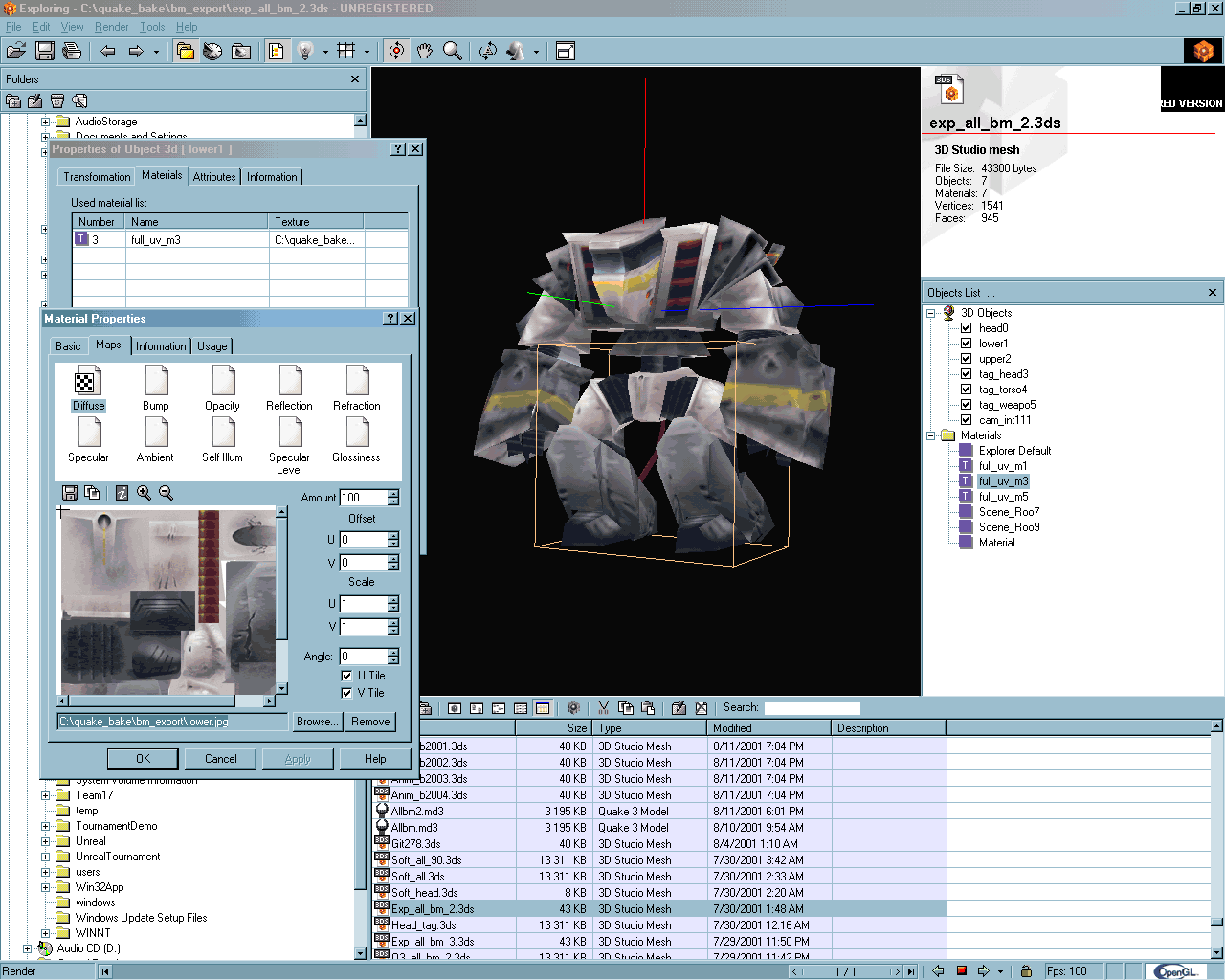
explorer as a 'buffer' to sort out whether or not a 3d file has UV info
assigned or not. If I cant reassign and see the correct texture applied
to the model in here then its not going to work in Softimage import. 3D
Explorer can also read and write .XSI (v.1) files which can then be imported
into Softimage 3D. This is not necessary in the conversion process, just
*handy* I Use 3D
explorer as a 'buffer' to sort out whether or not a 3d file has UV info
assigned or not. If I cant reassign and see the correct texture applied
to the model in here then its not going to work in Softimage import. 3D
Explorer can also read and write .XSI (v.1) files which can then be imported
into Softimage 3D. This is not necessary in the conversion process, just
*handy* |
|
|
| |
|
|
The first stumbling
block that most people come to is that the model imports OK as a .3ds but the
texture isnt there. Softimage imports the model in but doesnt say that anything
went wrong immediately. You have to see what happened by clicking on the status
bar at the bottom of the interface. This will bring up a window showing you a
'history' of actions that softimage has just completed. Normally there will be
an *error* in there somewhere. here are some things that are likely to cause
errors or make your texture not load into softimage.
- 8.3 filename format. Softimage
.3ds importer is old. so old in fact that it doesnt understand file names with
spaces in or ones that are longer than 8 letters in length. ' model upper.bmp
' = bad ' m_upper.bmp ' = good
- bit depth. if the image is
greyscale or 8-bit or less then it will report errors. Change the image format
to 24-bit (millions of colours) or 32-bit (millions + alpha)
- Path names. The program that
created the .3ds file or whatever would have included in the .3ds description
where the textures are stored in relation to the 3d model. This is where 3d
Explorer comes in handy because I can 'relink' the texture to a file that is
in the same directory as the .3ds file then resave the .3ds file. You will
need to know the relative path of the texture as well as having the path
structure the same for the import. ie if the texture is stored in
\images\m_upper.bmp in MAX or whatever then you need the \images\m_upper.bmp
in the same folder structure as the .3ds file
- image format. Not sure about
this one. sometimes it works. Its a case of try it first and if it doesnt work
change to .bmp format, which usually works.
If you have set
everything up correctly then you will see in the schematic window the models and textures
imported. (like below) If you dont see local textures applied when matter mode
is switched on in the schematic, then something went wrong somewhere. try a
different format or click on the info bar in softimage (at the bottom) to see
what went wrong.

and so onto stage 2 - moving the UV's
 I Use 3D
explorer as a 'buffer' to sort out whether or not a 3d file has UV info
assigned or not. If I cant reassign and see the correct texture applied
to the model in here then its not going to work in Softimage import. 3D
Explorer can also read and write .XSI (v.1) files which can then be imported
into Softimage 3D. This is not necessary in the conversion process, just
*handy*
I Use 3D
explorer as a 'buffer' to sort out whether or not a 3d file has UV info
assigned or not. If I cant reassign and see the correct texture applied
to the model in here then its not going to work in Softimage import. 3D
Explorer can also read and write .XSI (v.1) files which can then be imported
into Softimage 3D. This is not necessary in the conversion process, just
*handy*