Modeling - for beginner !
Hello! Thomas it's for you !!
how to model objects fast and effeciently ?
Using
- instantiate
- subdivision (mode 1)
refer to roger rosa whose kind tutorial is a basis for this tutorial ,
May God bless him !
for his contribution to 3d art technology
- layer for interactive adjusting
- geometry approximation (mode 2)
1. Rotoscoping
1) right viewport

As you see below
picture needs to be flipped vertically, and be desaturated to be used template
/
fx tab > color correction > gain = 50
fx tab > flip > flip vertical toggle
fx tab > convert > rgba to grayscale toggle

get cube & translate & scale !

this is the end of rotoscoping
2 . Modeling
1. outline modeling
1) right viewport
draw > linear curve

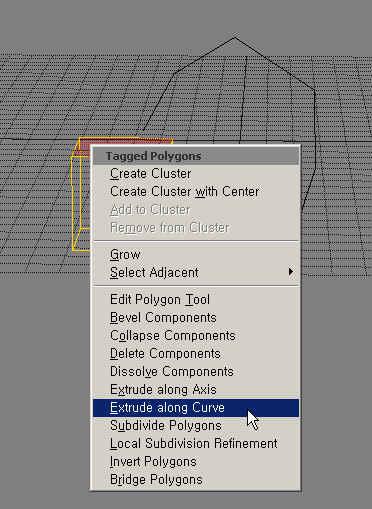
select uppter polygon ( press u )
right click to open context menu
select curve
(make sure that softimage 3d selection model or extended componet selection be untoggled in selection panel)

then you will have this
tweak yourself subdivision number

move point (press m)