THESE VIDEOS ARE (SORT OF) CURRENTLY UNAVALIABLE
I DO HAVE A FEW OLD SETS THAT I WILL SELL (CHEAP) CLICK
HERE If you want information on how to order these old videos.
This is because, a sequel to them is currently being created.
If there is something that you would like to see covered in the sequel,
please send your requests/suggestions to: EdHarriss@EdHarriss.com
SOFTIMAGE|XSI:
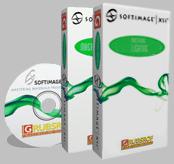
Mastering Lighting
This Two tape set covers all the the complex lighting controls in SOFTIMAGE|XSI.
$149.95 for NTSC
$169.95 for PAL
SOFTIMAGE|XSI:
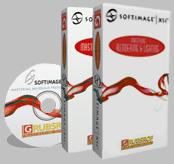
Mastering Rendering
This Two tape set covers all the complex rendering controls in SOFTIMAGE|XSI.
$149.95 for NTSC
$169.95 for PAL
Each 2 video set comes with a bonus CD-ROM* containing all of the scenes,
utilities and texture maps used in that video. During the video, all
the important dialog boxes and dropdown menus are blown up to full screen
so that the user can easily read the contents and follow along using
the files on the accompanying CD-ROM*.
Any two videos: $279.95 for
NTSC
$319.95 for PAL
Any three videos: $419.95 for
NTSC
$479.95 for PAL
SOFTIMAGE|XSI: Mastering Lighting
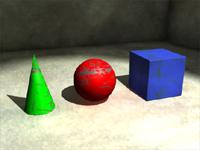
covers all the lighting tools available in SOFTIMAGE|XSI and how to use them
in conjunction with mental ray to produce photorealistic results.
Here are a few examples of what's covered on SOFTIMAGE|XSI: Mastering
Lighting.
1. Anatomy of a light: What are all the different
components of a light? Light Node, Shader node, Soft_light, Spot node, Associated
models, etc...
2. Once you under stand the light, how do you control it? Shadows, Intensity,
Spread, Color, Color modes, Attenuation,
Fall off,
etc...
3. Spot, Infinite,
Point and Area
lights. What's the difference? How are they used and when to use which one.
4. XSI Manipulators.
Translating and Orienting your lights and cones with out using the Transformation
keys.
5. The Ambient light and
why you should never use it.
6. Selective lights/Associative lights. Controlling which light shines on what.
7. Controlling Shadow individual objects shadow color and intensity without
affecting any of the other objects in the scene.
8. Light shader: Projector light. How to create animated and non animated projectors
and what they are useful for. Creating a movie projector type of effect using
the "Fast
light effects" shader.
9. Lighting, Beyond the basics.
a. Shadow mapped shadows. (Resolution, Softness, Samples, etc) How they work,
and how to tune them for faster rendering.
b. Ray Traced
Shadows. How they work. When to use them and when not to.
c. Area lights.
Soft shadows with out the limitations of Shadow mapped shadows. (Geometry, Samples,
Area Transformation,
Etc...)
d. Volumic
Lights. Understanding all the variables and how they work together. (Reflectance,
Map sizes, Shadow options, Shards,etc..)
e. Lens Flares. Controlling,
Attaching to multiple cameras, Effects, Flare, Glow, Star, etc...
f. inclusive/exclusive lights. Why associative lights are so powerful.
10. Lighting Setup: Key
Light, Fill light,
Back light,
Rim lighting.
11. Caustic Lights.
What's a caustic light? How is it controlled. (energy, photons, accuracy, radius,
photon map, etc...) What to do for specific effects.
12. Final Gathering.
How to light your scene realistically with no lights! (or only one) How to tune
your render so that it looks good.
13. Global Illumination. Learn how to adjust your renders to remove artifacts
and create smooth looking radiosity effects.
14. Plus a whole lot more than what's listed here.
Learn how to set up your scenes for Global Illumination
and Final Gathering.
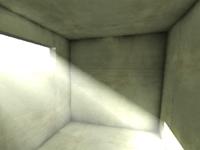
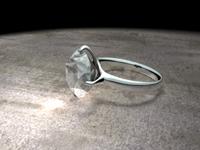
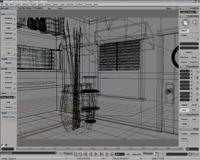
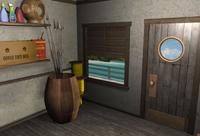
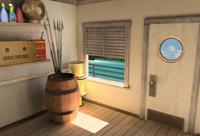
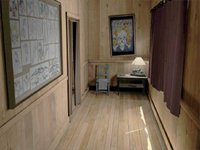
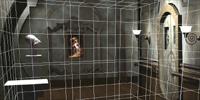
Learn how to turn your "Boring" scenes
into photorealistic ones like......
This one! (to keep rendertimes down,
actual scene used on the tape is a different one)
SOFTIMAGE|XSI: Mastering Rendering covers all the rendering tools available in SOFTIMAGE|XSI.
Learn how to tune mental ray to get the results that you
want!
Here are a few examples of what's covered on SOFTIMAGE|XSI: Mastering
Rendering.
1. Rendering set up: Differences between The render region, previewing and full
rendering. How to adjust their settings.
2. The Types of passes, what they do and when to use them. (Highlight,
Ambient/Diffuse,
Shadow, etc...)
and a "mini tutorial" on how to composite
them.
3. Understanding Partitions and Overrides. How they work with Passes to save
you time.
5. Understanding scanline and ray tracing, reflection and refraction ray depths,
sub region rendering, etc....
6. Misc settings: Back Culling (front, back, both), Dithering, Gamma, etc....
7. Motion Blur Different types: Ray
Tracing VS Scanline.
Shutter Speed Sampling Misc: Motion Blurred Deformations, Motion Blurred Shadowmaps,
Etc...
8. Field Rendering: What's it for? How it works. When to use it and why.
9. Determine how much ram a scene will need based on poly count, texture map
sizes and system resources.
10. Setting up File types: the difference between JPG, PIC, TGA, TIFF, SGI,
etc... When to use what type, what they are for and what information they include.
11. Shadow Types: Regular,
Segment,
Sort and None.
What's the difference. When does it matter and what setting's best for you.
12. Antialiasing explained
in depth. How it works, techniques for speeding up rendering while still getting
smooth edges on your objects.
13. Ray Depth:
Reflection, Refraction and Maximum Ray Depth.
14. Pre and Post Frame scripts. A simple example and how they can really save
you time.
15. Layers: One of the best ways of organizing your scene. Why these things
are so incredibly useful.
16. Creating Glows.
Why they are occluded by other objects. Two methods on how to get around that.
One that's material based and another using compositing.
17. Wireframe rendering. Using the Capture tool and Toon Wire rendering. How
to mix real rendering with Wire rendering.
18. Creating a flipbook, avi, quicktime, etc...
19. Motion
blur. How to get good clean results and keep your rendertimes low.Optimization,
applying different types to specific objects.
15. Pass Shaders:
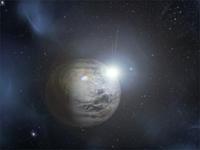
A. Environment Shaders: The Legacy Atmosphere Shader. Create a Planet that renders
in seconds with out using any geometry.
B: Output Shaders: Change the background of your renders with the Background
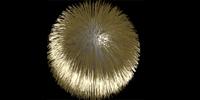
Shader and the Background Pic shader. How to use the Fur shader.Using the Halo
shader and how to get around it's limitations.
C: Volume Shaders: Creating Fog and Depth
of field and Lightning
from within SOFTIMAGE|XSI.
16 . Acceleration
methods. How Grid and BSP really work. When to use which one, why, and how
to tune it so your renders are faster.
17. Distributed
rendering. Use idle computers to speed up the rendering on your machine.
The usage and ceation of a .ray2hosts file.
18. Simulating
real world cameras: using Z-depth
information and external applications to create Depth
of Field effects.
19. More on Z-depth
images as a post production tool: 3D Fog. How it works and a "mini-tutorial"
on how to achieve these effects in Adobe After Effects.
20. HDR like rendering.
Using a High Dynamic Range image to Simulate Image Based Rendering using mental
ray map files and Final Gathering.
21. Pixel Ratio, Picture Ratio, Picture Standards, Render Resolution. How they
are all related and how to make them work for you.
22. Plus a whole lot more than what's listed here.
These videos are hosted by Ed
Harriss, an 8 year veteran of SOFTIMAGE. He started teaching Softimage
over 6 years ago. He'll show you alot of the tricks that he's learned over the
years to help you create some of the effects like the ones you see above.
*For copyright reasons, some of the textures and models
will be replaced with working substitutes
SOFTIMAGE|XSI: Mastering Materials is produced independently from
SOFTIMAGE®, and is not endorsed by SOFTIMAGE.
SOFTIMAGE is a registered trademark of SOFTIMAGE, Inc. a subsidiary of Avid
Technology Inc.
Flood and Harvest images copyright 2001, Alternate
Route Studios.
THESE VIDEOS ARE (SORT OF) CURRENTLY UNAVALIABLE
I DO HAVE A FEW OLD SETS THAT I WILL SELL (CHEAP) CLICK
HERE If you want information on how to order these old videos.
This is because, a sequel to them is currently being created.
If there is something that you would like to see covered in the sequel,
please send your requests/suggestions to: EdHarriss@EdHarriss.com